
Moving day
Boxes, tape, bubble wrap, the truck rental, the movers’ bill. Snap each one as you go: the unused boxes can go back within 90 days, and the moving costs are all in one list at tax time.
Made for foldables iPhone Duo · Galaxy Z Fold · every phone
Master your stuff! Now on two screens.
Open it up and StuffSensei becomes a book: your rooms on the left, whatever you tap on the right, split right at the fold. Close it and it’s the phone app you know. Every room, every box, every thing, found in seconds.
 9:41
 9:41
Unfold it
Split rail on every foldable and tablet, automatically: rooms down the side, details beside them, and the home at a glance until you open something. Unfold mid-task and carry on.


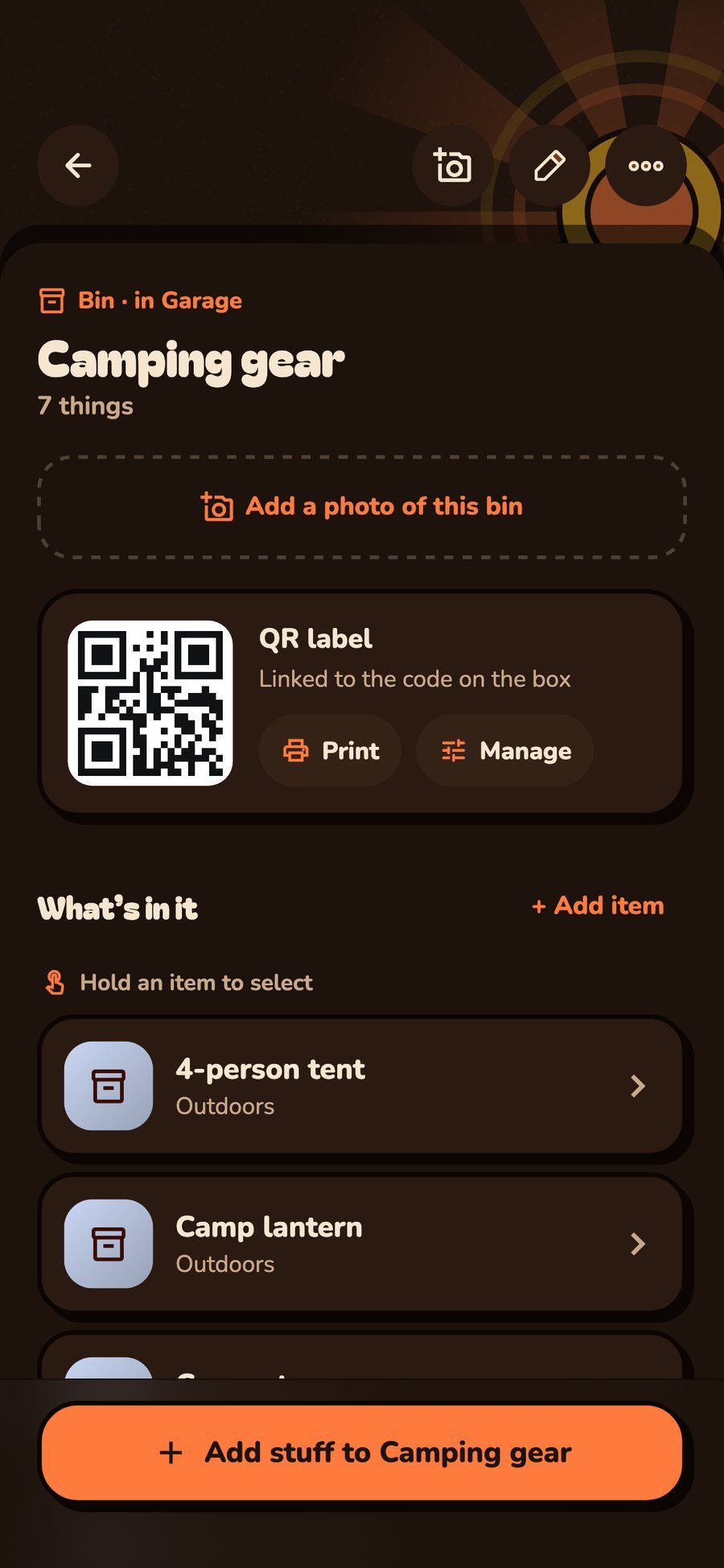
On any phone
iPhone and Android, big screen or small. Label it, scan it, share it, pack it, move it, insure it.
Your stuff called. It would like to be found.
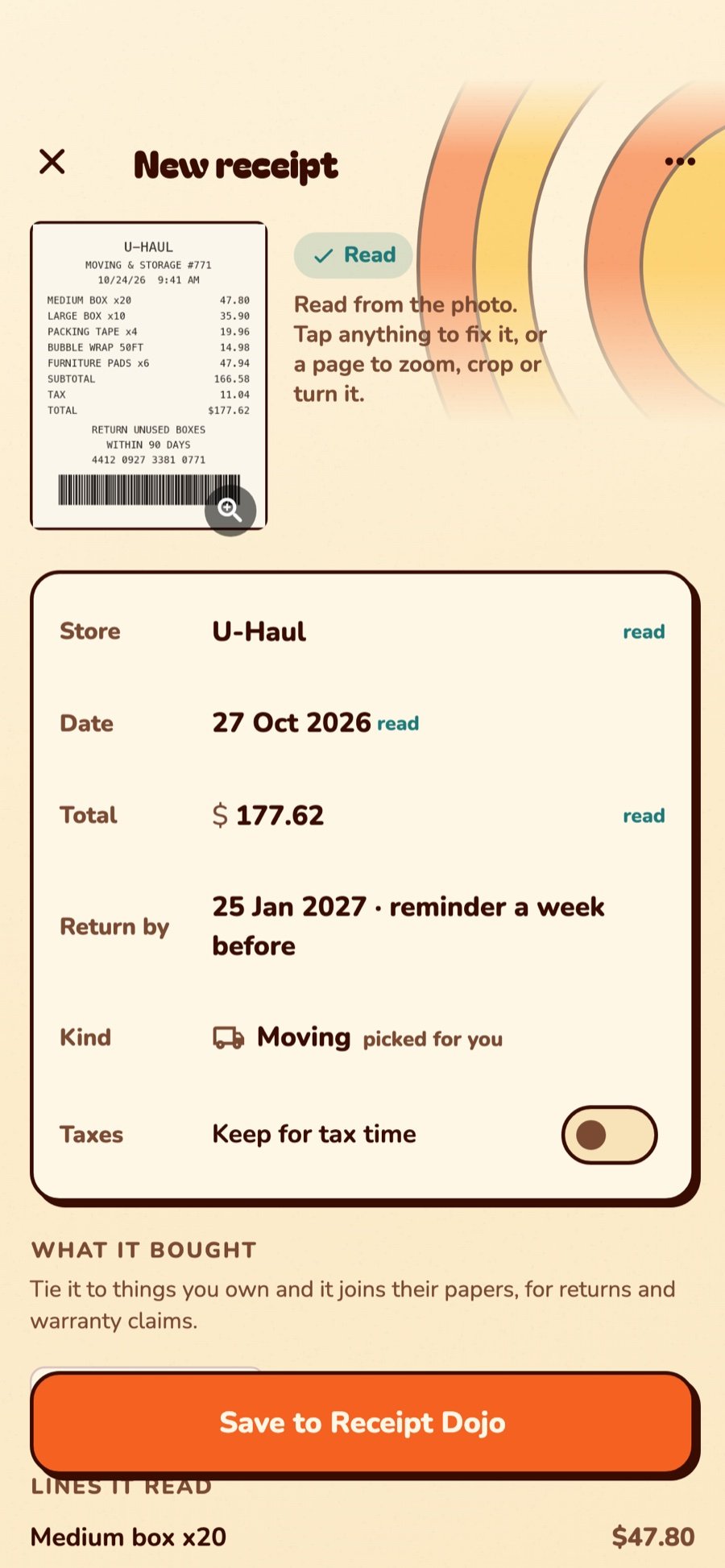
New Receipt scanner, built in
Every receipt, from every store, in one place you’ll actually find again. Point your phone at it: StuffSensei flattens it, reads the store, the date, the total and the return deadline, right on your phone, and files it. No shoebox. No “I swear it was in the glovebox.”
Receipts, every day
The Receipt Dojo earns its keep the first week. A few of the ways families, movers and landlords use it.
Boxes, tape, bubble wrap, the truck rental, the movers’ bill. Snap each one as you go: the unused boxes can go back within 90 days, and the moving costs are all in one list at tax time.
The towels were the wrong blue. StuffSensei says “5 days left to return it” before it’s too late, and at the counter you scan the receipt’s barcode and show it. Done.
The drill quit at month eleven. Its receipt is on the drill’s page, with the date and the price. The claim takes two minutes instead of an afternoon of digging.
Groceries, the hardware store, the kids’ school supplies. The Receipt Dojo adds up the month as you go, so “why is the card bill so high” has an answer.
Home office supplies, repairs on the rental, donations. Tick Keep for tax time and they’re waiting under the Tax filter in April, photos and all.
With Pro, receipts sync to everyone in the home. Melissa snaps the Costco run, Tom finds it at the return desk. Nobody texts a blurry photo ever again.
Who it’s for
A few of the people who’ve found out where their things are (and who has them).
Assign “put the camping gear back” to Melissa. Only Melissa can tick it off, so the progress ring tells the truth. You made the plan, so you can still override. Parent privileges.
“Where’s the—” “Hall closet, top shelf, blue tote.”
QR-label every box, then scan each one onto the truck. 23 bins, 23 beeps, zero “I think it was on the truck?” Scan them again at the new place to drop each box into its new room.
See what’s inside a box without opening it. Revolutionary. Mostly for your back.
Each job is a checklist from survey to sign-off. Photograph the damage that was already there, QR-label every box, scan it onto the truck and off again, and get the delivery sheet signed.
“Did box 31 make it?” Scanned off the truck at 2:14 pm, into the kitchen.
Record every appliance, its serial and its condition at move-in. Walk it again at move-out. Rent-due and lease-end reminders for every unit. Property management, in detail.
Great for rental properties, renters and the people who manage them.
What will you organize?
If you own it, keep it or collect it, it has a place in StuffSensei. A few of our favorites:
16 and counting. Scroll sideways →
Lures by box and tray, line by weight, the reel that needs a service. Check the tackle box from the parking lot of the bait shop.
Cleats, pads and helmets for every kid, by size and season. Find the shin guards at 7:40 on a Saturday.
Sets, binders and graded cards with photos, condition and value. Know what the collection is worth, and which box holds the rookie card.
Paint, yarn, fabric and beads by bin and color. Stop buying a third roll of the same ribbon.
Bags, shoes and seasonal clothes with photos, so you can browse the closet without emptying it. Swap summer for winter, bin by bin.
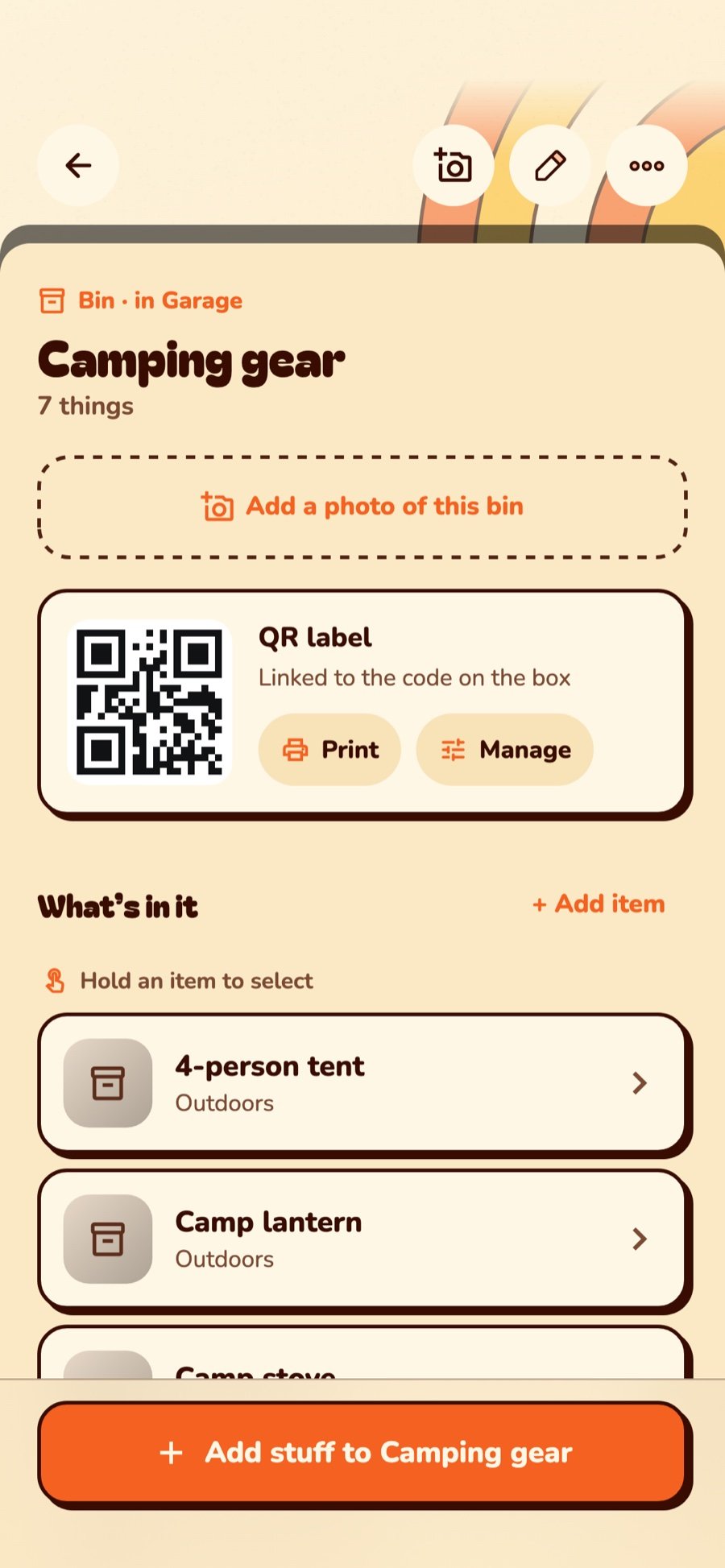
Tents, stoves and lanterns in labeled bins. What ran out last trip waits on the To get list.
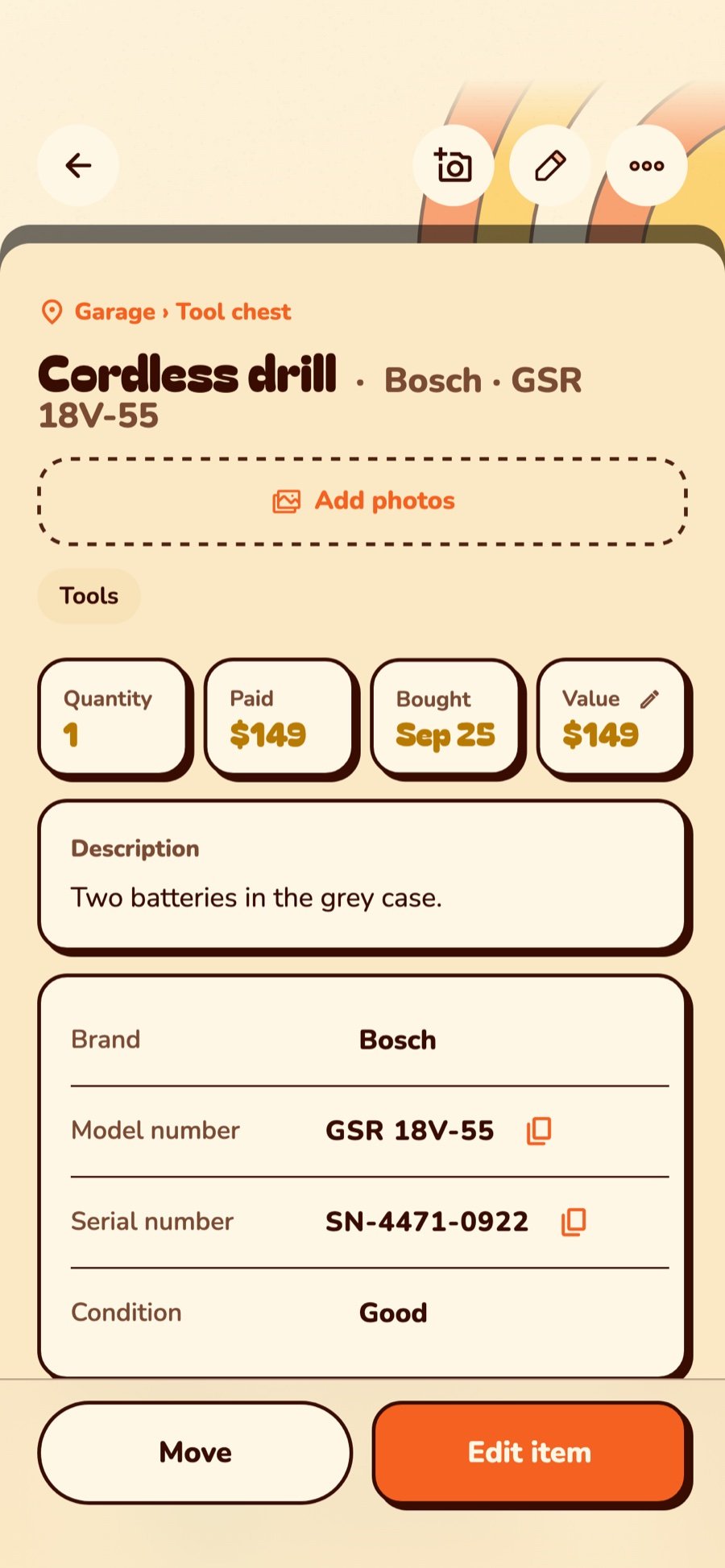
Every drill, bit and battery with its serial and receipt. Lent the saw? StuffSensei remembers to whom.
Twelve totes of holiday, each labeled. The tree stand is in tote 4, behind the lights you swore you untangled.
Every console, controller and game, boxed or loose, with condition and what it’s worth today. Know which shelf holds the cartridge before you buy it again.
Photos, grades and values on every piece, for the insurer and for bragging rights.
Search before you buy it twice. Lend the board game and get it back with every piece.
Serials, receipts and replacement values on the expensive stuff, the things you hope you never need to claim.
Seeds, hoses, the mower’s blade size and when it was last sharpened, all in the shed’s bins.
Use-by dates on medicine, filters and batteries, with a reminder before they expire, not after.
Know what’s in unit 214 without driving across town to open it.
The storm kit, the car kit, the go-bag: what’s in each, and what needs replacing.
Real life
Organizing is nice. Being ready when something goes wrong is better.
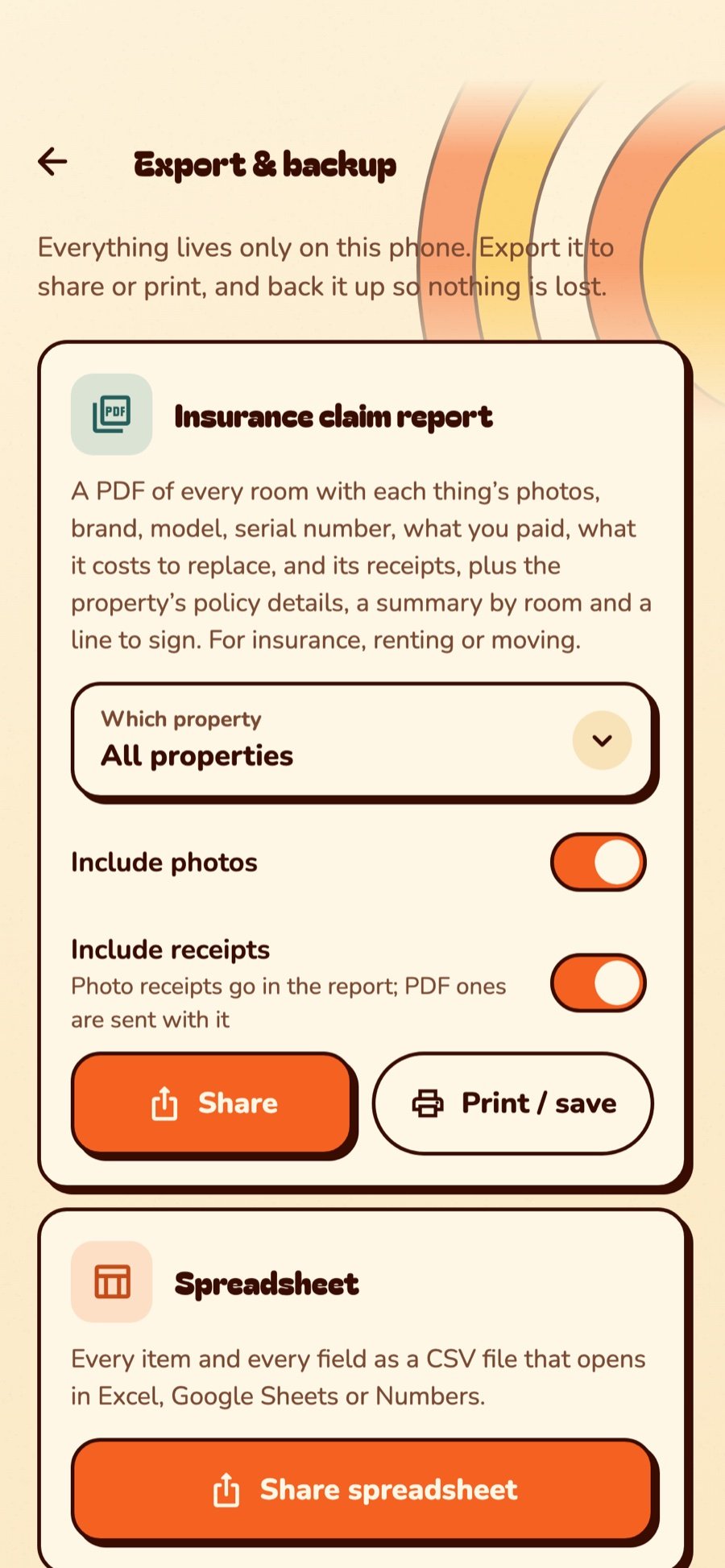
One tap makes a claim report for the insurer: every room, with photos, serials, receipts and what each thing costs to replace.
QR-label every box, scan it onto the truck and off again into its new room. Nothing is “probably in the garage.”
The receipt, the warranty end date and the serial are one tap away, while you’re still on hold.
Photos and values are already there. Mark things for sale, give things away, and leave the family an inventory, not a mystery.
Note who has the ladder and when it’s due back. StuffSensei reminds you, so you don’t have to remind them.
Share the home with family or a crew. Everyone sees the same bins on their own phone, and the right person gets the task.
Under one app
The labels, the scanner, the checklists, the receipts, the reminders. Not seven apps duct-taped together. One. With a sense of humor.

Built-in QR & barcode studio
StuffSensei generates QR codes and barcodes for every space, box and thing, then prints them: ½-inch squares up to 4 × 2 inch labels, with borders, on plain paper, sticker sheets or a popular thermal label printer over Bluetooth.

Stuff To-Do
Moving day, a move-in or move-out walkthrough, a unit turnover, a crew moving job, a property inspection. Pick a template, pick your day, and every task gets a real date counted back from it.
Real life: “Pack the attic first” goes to Dad, “Defrost the freezer” goes to Mia, “Confirm the truck” goes to Two Guys Movers. Everybody gets their own list.

Family & team sharing
Add someone’s name, role and email and they get an invite. They show as Pending until they accept. After that, everybody sees the same spaces, bins and plans, and changes reach every phone.
Screens
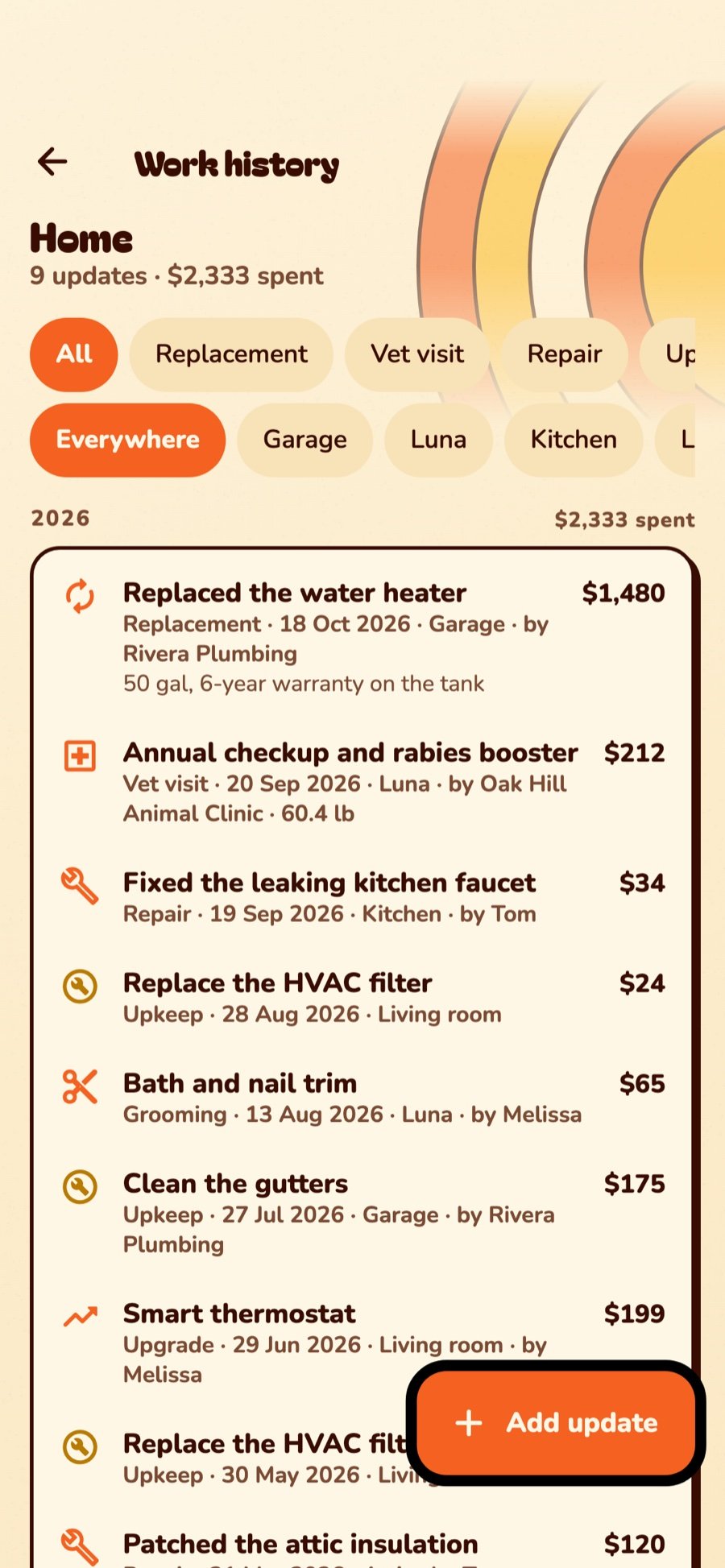
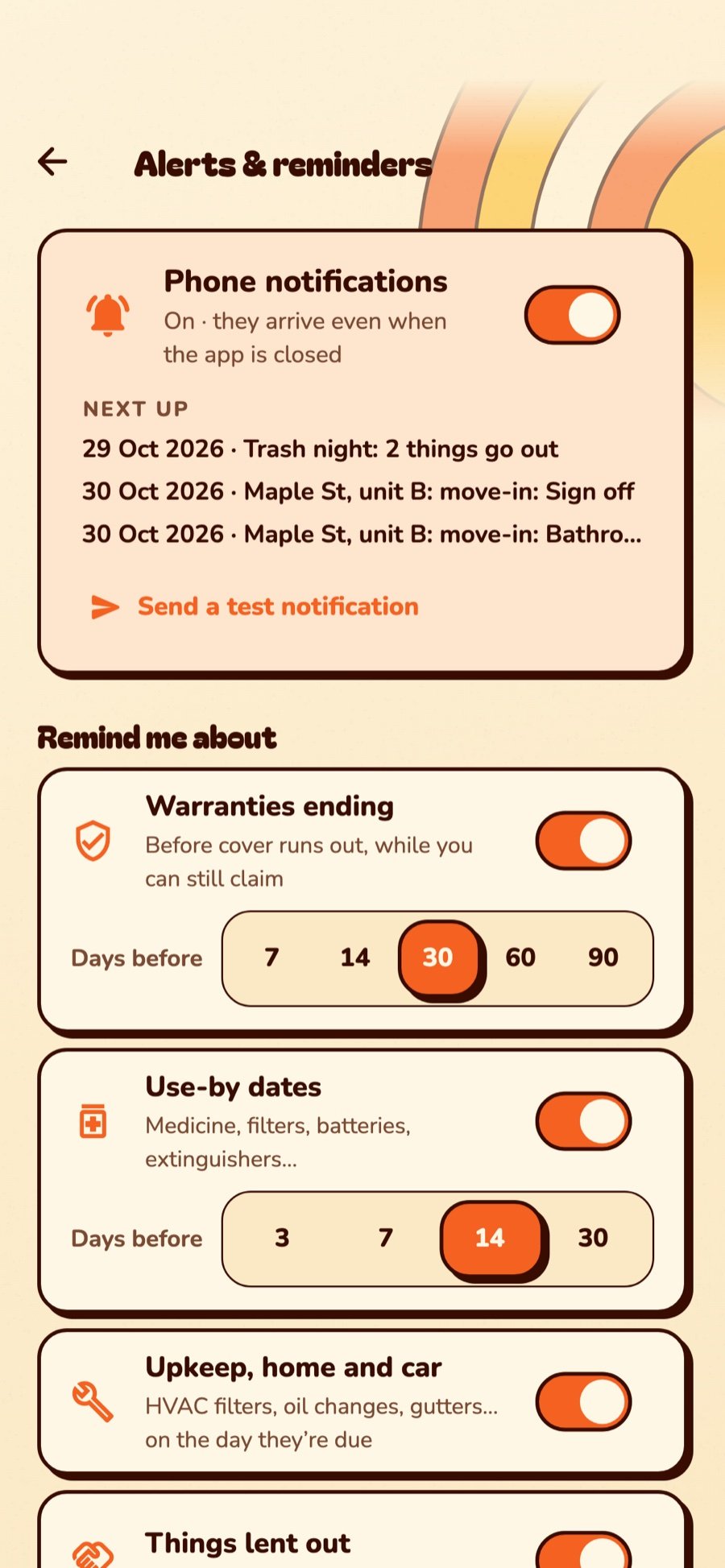
Real screens from the app, filled with a fictional family who are moving house and renting out a duplex. Busy people. Swipe sideways.






A small disclaimer
Except your teenager’s room. Some battles are sacred. Also your inbox. We have limits.
For your inner neat freak, and the outer one who lives with you.
New in StuffSensei
You asked, Sensei listened. The house, the car, the rentals and the moving truck all got smarter.
A receipt scanner, built in. Snap any receipt and the store, date, total and return deadline are read for you, then filed, searchable, with a nudge before the return window closes.
Scan or snap a receipt straight from your home screen. Sensei Glance shows returns closing and today’s to-dos, and iPhone gets lock-screen and Control Center buttons too.
Snap the sticker inside the fridge door: brand, model and serial fill in. One tap finds the manual and files it. A recall check watches your brands, and every room remembers its paint.
Every fix on the house: what was done, who did it, what it cost, with photos of the work and the receipt. A full history by year, ready when you sell or the owner asks.
Every mileage reading kept, with how far you drive a month. Add your own details, like tire size and oil type, and only what you fill in shows.
Move-in and move-out, room by room, with photos, serials and a report you both sign. Unit turnovers and seasonal inspections work the same way.
From survey to signed delivery sheet. QR-label every box, scan it onto the truck and off again into its room. Box 31 is in the kitchen. Proof attached.
Purchases, upkeep and repairs added up for any dates you pick, by room, property or who you paid. Sort every expense, biggest first, and compare this year with last.
Put a value on the trading cards, the game consoles, the vintage guitar. See what went up since you bought it, and keep the insurer in the loop.
The everyday stuff
Aim the red laser line, hear the beep. Product barcodes fill in the name, brand and photo. Scan a whole pile into one bin without stopping, or into the Waiting room (really a wish list) until it has a spot.
No time to sort? Snap the counter, the drawer, the trunk. Sort it later. Or press Procrastinate and earn a belt. We don’t judge. The Dojo does.
Receipts, manuals and warranty cards live with each thing. When the dishwasher dies, the receipt is one tap away and smug about it.
Warranties about to end, the HVAC filter, use-by dates, rent due, and the ladder your neighbor “borrowed” in April. Hear about them at 9 in the morning, 8 at night, or both.
One tap makes a claim report: every room with photos, brands, serials, what you paid and what it costs to replace.
Everything stays on your phone. No account needed, no ads, no tracking. Cloud backup and sharing only when you turn them on.
And when you’d rather not? There’s a hidden Saturday-morning game about procrastinating in there. You’ll find it. Probably while procrastinating.
Questions
Yes. One home, all the organizing, labels, scanning and checklists, free and with no sign-up. StuffSensei Pro adds more properties, cloud backup and sync, and sharing with family, crews and teams.
No. The QR and barcode studio is built in. Print on any printer (plain paper or sticker sheets), send to a popular Bluetooth thermal label printer, or save the labels as pictures.
Tiny stickers you tap your phone on. Stick one on a box and a tap shows what’s inside. Totally optional, and on Android for now; QR labels do the same with the camera on every phone.
Yes. Invite people by email; they show as Pending until they accept. Choose Can edit or Can view for each person, and assign them tasks and things.
Your inventory lives on your phone. We don’t run ads or analytics. If you turn on cloud backup, it’s stored securely and used only to back up, sync and share. See the privacy policy.
Both. Links to the App Store and Google Play are coming the moment they go live.
Our story
A garage, a pile of identical gray totes, and the same question every weekend: where is the—? StuffSensei was the answer. Then came the moves, the rentals, the car and the crew.
Kalix Labs builds apps around the experience: secure by design, private by default, and crafted down to the last tap. No ads, no tracking, no clutter. Fitting, for an app about clutter.
Free to start, no sign-up. It takes about a minute to make your first space, and slightly longer to find out how many extension cords you own.